Virtual staging can help buyers visualise a room, but edited images must accurately represent the property. This 2026 guide covers 76 jurisdictions in the US, Canada, Australia, and the UK. Use the regional pages to distinguish laws, regulator guidance, local MLS rules, and recommended practices. Some entries provide a regulator directory where local rules still need verification. A listing may need image-level disclosure, access to originals, or a specific MLS field; a generic watermark does not satisfy every rule.
Disclosure requirements, penalties & best practices76 JURISDICTIONS
Virtual staging uses digital or AI tools to add furniture and decor to property photographs. Altering permanent features, defects, views, or surroundings can be prohibited or misleading even when a label is added. Instead of paying thousands for physical staging, agents can transform listing photos in minutes—helping buyers visualize a home's potential while keeping costs low.
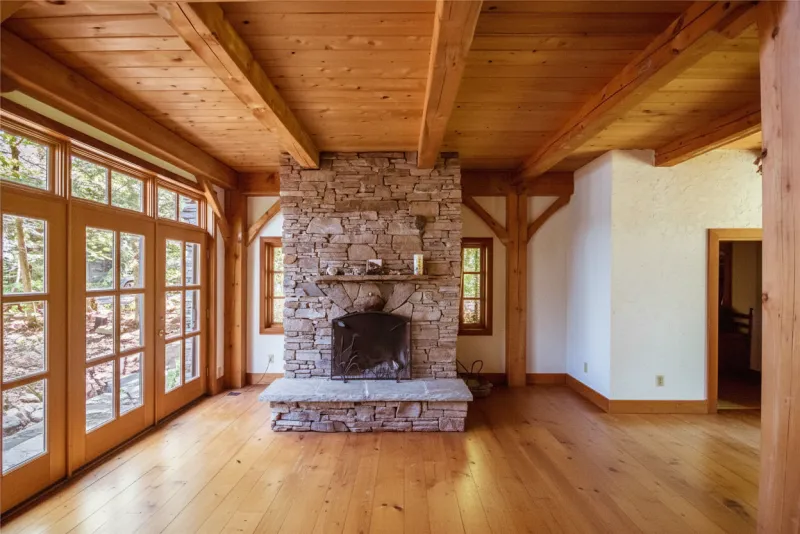
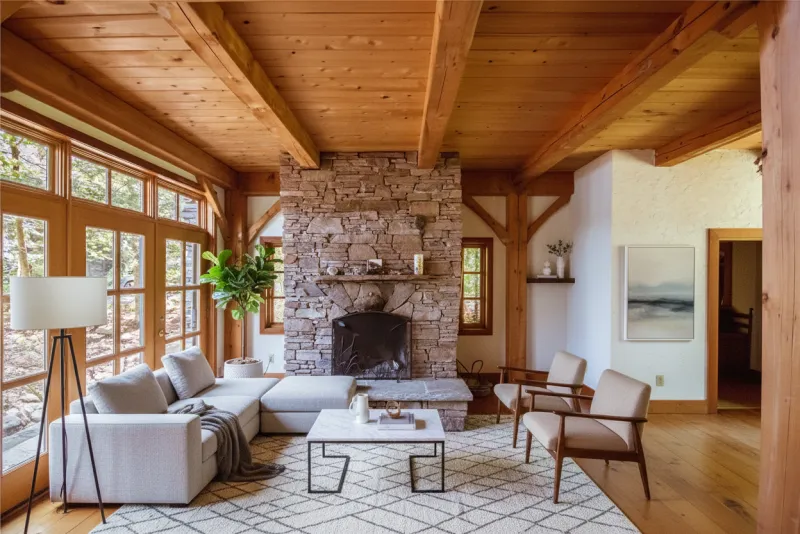
Example of AI-generated virtual staging
Agents today have more staging options than ever. From traditional physical staging to digital services and the newest AI tools, each approach has its place—but they differ significantly in cost, speed, and flexibility.
Best for high-end properties where buyers will visit in person, or when you want the listing photos to match the in-person experience exactly.
A designer can place furniture and refine the result. You still need to compare the edited image with the original and check the final advertisement.
AI staging tools have improved significantly in recent years. Quality varies by provider, so it's worth testing a few options to find one that meets your standards.
Review every staged image against the original before publishing. Human editing and AI editing can both introduce misleading changes. Check room dimensions, windows, fixtures, views, and visible defects, then apply the disclosure and original-photo requirements for the listing’s jurisdiction and platform.
Most jurisdictions permit some virtual staging when the overall advertisement remains accurate, but NSW guidance and some MLS rules are more restrictive.
California law and some regulators or MLSs require access to originals. Elsewhere, retaining and providing originals is usually a recommended practice.
Only some jurisdictions prescribe a label or placement. Clear image-level labeling is a strong default, but it does not cure an otherwise misleading alteration.
Enforcement depends on the specific law and facts. Large statutory maximums, including Australia's qualifying ACL maximums, are not automatic virtual-staging fines.
Adapt these examples only after checking the regional page and your MLS. Replace every bracketed placeholder and describe the actual edits. Some MLSs prohibit custom overlays or require their own label. A disclosure does not authorise a misleading edit, and “available upon request” does not meet rules requiring public access to originals.
“The identified images have been digitally altered with virtual furniture and decor. These items are not physically present. View the corresponding original, unaltered photographs at: [PUBLIC ORIGINAL-IMAGE LINK].”
“Digitally altered / virtually staged image. The furniture and decor shown were digitally added and are not physically present. View the original, unaltered image: [PUBLIC ORIGINAL-IMAGE LINK].”
“This photograph has been digitally altered with virtual furniture and decor. These items are not physically present. Compare the clearly identified original, unaltered image shown alongside it or at: [PUBLIC ORIGINAL-IMAGE LINK].”
“DIGITALLY ALTERED / VIRTUALLY STAGED – Original image: [PUBLIC URL OR QR CODE]”
Choose a region for sourced guidance or regulator contacts, disclosure examples, and the scope of local rules to check.
Last updated: September 10, 2026 •Written by: Andrew McGrath
© 2026 MappedBy Inc. All Rights Reserved